Not in Google's top 3? Google doesn't know what you do. 3 fixes for your Google Business Profile
A customer searches "best interior designer near me". Google shows 3 businesses, and your name isn't one of them. Problem sirf ranking ki nahi hai. Google ko aapke business ke baare mein enough relevant information nahi mil rahi.
Quick answer: To help your business show up in Google's top 3 local results, give Google more to match: (1) add every service you sell to your Google Business Profile, each with a description, (2) ask every client for a review that mentions the project, area and experience, and (3) publish the real questions customers ask, with answers, on your website. Then say clearly what you do, who it's for and where.
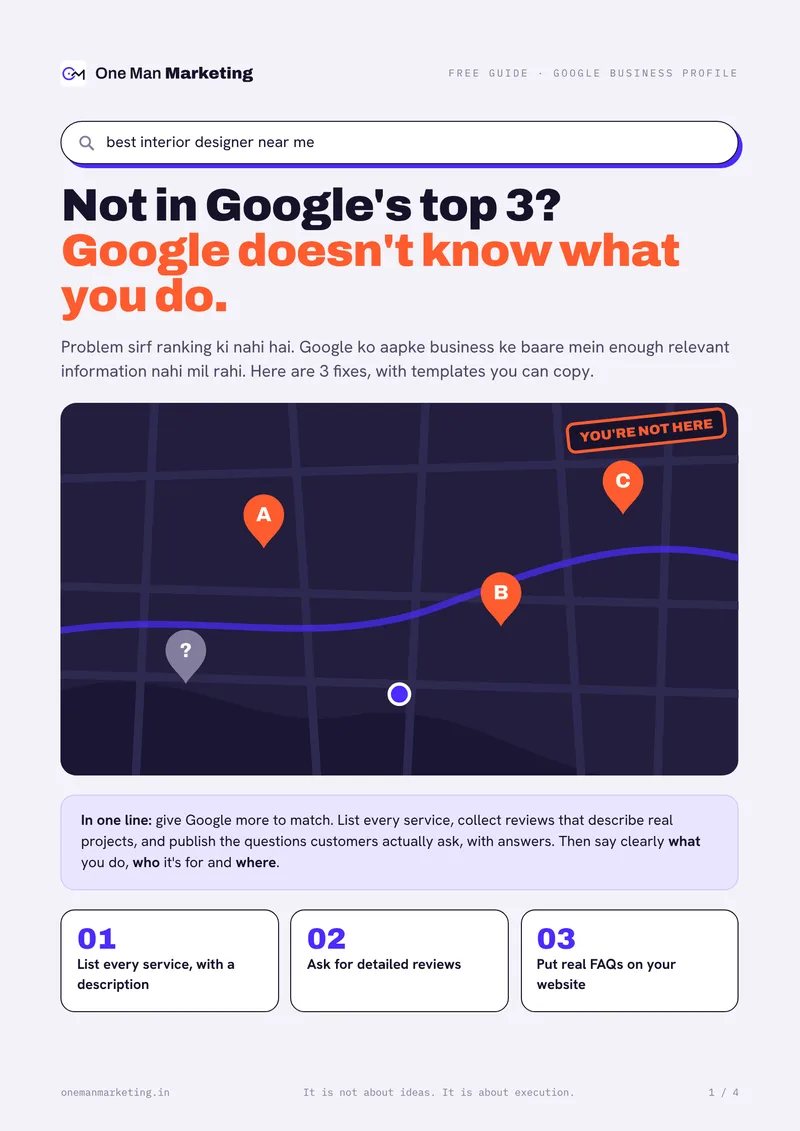
Download the free guide (PDF)
The 3 fixes, every template on this page, the profile self-check and the 7-day plan. Print it or keep it open while you edit your profile. No email needed.
Download PDF ↓ PDF · 4 pages · about 280 KBThe real problem: relevance, not just ranking
When someone searches, Google matches the words and the need behind the search to what it knows about each business. If your profile only says "Interior designer", it has very little to match. Here's what Google knows about a typical local profile:
| Information | On a typical profile? |
|---|---|
| Category | ✅ Yes |
| Services, each with a description | ❌ No |
| Areas you serve | ❌ No |
| Reviews that describe real projects | ❌ No |
| Website answers to customer questions | ❌ No |
Fix 1: Add every service, one by one
Sirf category nahi. Add the actual services you sell, each with a short description that says what it is, who it's for and where you do it.
- Search your business name on Google while signed in with the owner account. Your profile tools appear at the top.
- Open Edit profile, then the Services section (on some profiles it's Edit services).
- Under your category, tick the suggested services that fit, then use Add custom service for the rest.
- Open each service and add a description (up to 300 characters). Save.
- While you're there, add additional categories that genuinely fit (up to 9) and your service areas.
Example for an interior designer (illustrative, write your own details):
Pass if: every service you sell is on the profile, each with a what / who / where description.
Fix 2: Ask for detailed reviews
A useful review mentions the project, the service and the experience. Those words help Google match you to the right searches, and they convince the next customer too.
★★★★★ "Got our modular kitchen done for our 2BHK flat in Powai. Finished in 40 days, super neat work."
Get your review link from the profile tools: Ask for reviews (sometimes under Read reviews), then copy the link.
✕ No fake reviews. Not from friends who didn't hire you, not bought, not written by staff. Google removes them and can restrict your profile.
✕ No discounts or gifts in exchange for reviews. Google's policy doesn't allow incentivised reviews.
✕ Don't ask only your happy clients. Ask every client the same way.
Fix 3: Put real FAQs on your website
Use the questions customers actually ask you on WhatsApp and calls. Answer in the first sentence, with numbers and locations where you can. This also helps AI search tools describe your business correctly (more in how to get recommended by ChatGPT, Gemini and Perplexity).
Where to find your questions:
- Scroll your last 30 WhatsApp enquiries. Note every question that came up twice.
- Ask your sales or site person: "What do people ask before they say yes?"
- Check the "People also ask" box when you search your service on Google.
8 example questions for an interior designer:
Modular kitchen ka cost kitna hai?
Give a range by size and material, say what changes the price, and link to 2–3 real project examples.
2BHK interior mein kitna time lagta hai?
State your usual timeline from design sign-off to handover, and what can delay it.
Kya site visit free hai?
Yes or no, which areas, and how to book.
Do you work in [area]?
List every area you serve. This is one of the strongest local signals on your site.
Can we stay in the house during renovation?
Explain phasing and what's possible.
Do you give a warranty?
What's covered, for how long, and who to call.
Payment schedule kya hai? EMI milega?
Your milestone split and any financing options.
Can I see a 3D design before work starts?
Your design process in 3–4 steps.
The formula: kya, kiske liye, kahan
Google ko sirf ye mat batao ki aap business ho. Clearly batao: aap kya karte ho, kiske liye karte ho, aur kis location mein karte ho. Use it in your business description (up to 750 characters), your services and your website.
Self-check: how complete is your profile?
Tick what's already true for your business.
Profile score: 0 / 8
7-day plan: fix it this week
| Day | Do this |
|---|---|
| Day 1 | Check categories, add service areas, rewrite the business description with the formula. |
| Day 2 | Add every service with a description of up to 300 characters. |
| Day 3 | Upload 10+ real project photos, named by project and area. |
| Day 4 | Send the review message to your last 10 happy clients. |
| Day 5 | Collect 8 questions from WhatsApp chats. Draft answers. |
| Day 6 | Publish the FAQ page on your website. Link it from the profile. |
| Day 7 | Reply to all reviews. Post one project update on the profile. |
Want it done for you?
I set up and fix Google Business Profiles for local businesses: services, descriptions, review system, FAQs and the website behind it. One person, one monthly bill.
Get my profile checkedFrequently asked questions
Why is my business not showing in Google's top 3 local results?
Often Google doesn't have enough relevant information to match your profile to the search. If your profile only shows a category like "Interior designer" and nothing about the services you sell, the areas you serve or the projects you've done, Google has very little to match against. Distance and how well known your business is also matter, but relevance is the part you control most easily.
How do I add services to my Google Business Profile?
Search your business name on Google while signed in with the owner account, open Edit profile, then the Services section. Tick the suggested services that fit, use Add custom service for the rest, and add a description of up to 300 characters to each one.
How do I get more detailed Google reviews?
Ask every client after handover, the same way, with your review link. Ask them to mention which project it was, the area and how the experience was. Never offer discounts or gifts for reviews and never post fake reviews: Google removes them and can restrict your profile.
Do FAQs on my website help my Google ranking?
They help Google and AI search tools understand what you do, who you do it for and where. Use the real questions customers ask you on WhatsApp and calls, answer in the first sentence and include numbers and locations where you can.
Is the Google Business Profile guide free to download?
Yes. The PDF is free, with no email needed. It has the 3 fixes, every template on this page, the self-check and the 7-day plan.
See how it's done for you: local SEO, websites and the fixed monthly plans (every plan includes Google Business Profile management).
Google and Google Business Profile are trademarks of Google LLC. This guide is independent and not affiliated with Google. Menu names and character limits are as of November 2026; Google changes them from time to time.